
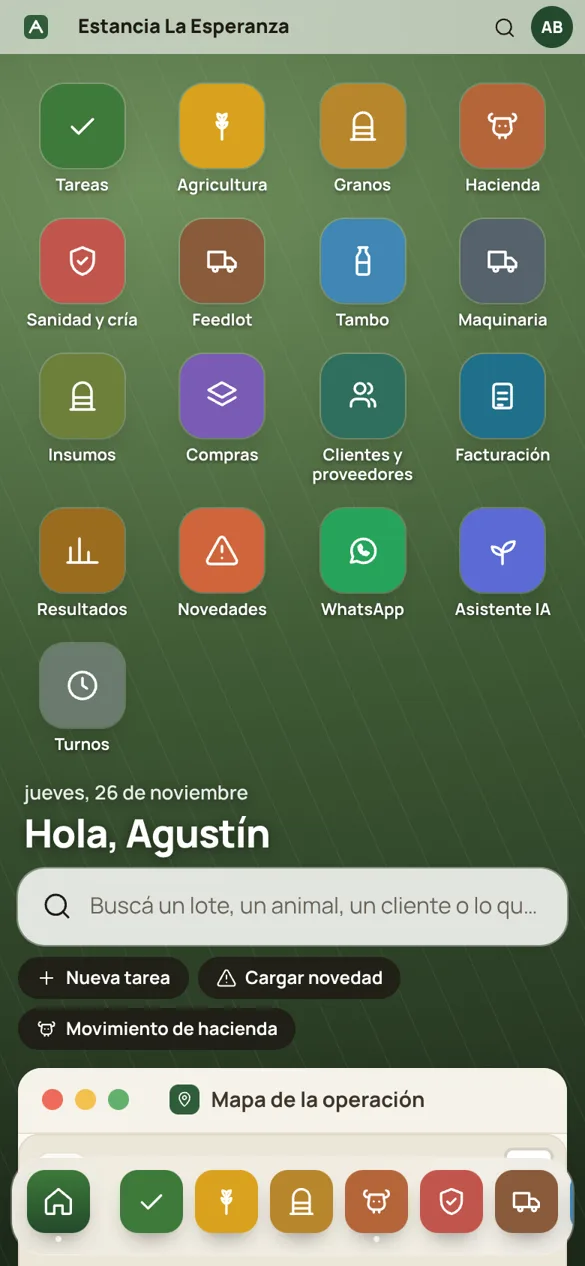
Take your farm on your phone
TENANCY installs from the browser in seconds. No app store, very little space, and it updates itself.
-
One tap and you are inIt sits on your home screen, full screen.
-
Works without signalWhat you record in the field is saved and sent when the connection is back.
-
Always up to dateIt updates itself, nothing to download.
How to install it
We detected your device
-
01
Open TENANCY in Safari
Go to your TENANCY address in Safari. On iPhone it only installs from Safari.
-
02
Tap Share and choose “Add to Home Screen”
It is the square with the up arrow. Scroll the menu to find the option.
-
03
Tap “Add”
The TENANCY icon appears on your home screen. Always open it from there.
-
01
Open TENANCY in Chrome
Edge and Samsung Internet work too.
-
02
Tap “Install TENANCY”
It shows up when you open it. If not, open the ⋮ menu and choose “Install app” or “Add to Home screen”.
-
03
Open it from the icon
It sits next to your other apps, ready for the field.
-
01
Open TENANCY in Chrome or Edge
On Windows, Mac or Linux.
-
02
Click the install icon
It is in the address bar, or in TENANCY's View menu → “Install on this computer”.
-
03
Done: it has its own window
It stays on the desktop or taskbar like any program.
On a computer?
Scan the code with your phone's camera to open TENANCY straight on the phone.
If something does not work
I opened the link from WhatsApp or Instagram
Those apps use their own browser, which cannot install. Tap the three dots → “Open in Chrome” (or Safari) and follow the steps.
On iPhone there is no “Add to Home Screen”
It can only be installed from Safari. Copy the link, paste it into Safari and tap Share again.
I installed it but it keeps asking me to install
You are in the browser, not in the app. Close the tab and open TENANCY from your home screen icon.
I cannot see the install button on my computer
Use Chrome or Edge. In Firefox, and Safari on Mac, you can use TENANCY in the browser without installing.
Want your farm in order? Start today.
Create your company and try it for 14 days with your own data. Or write to us and we will show you around.